Introduction
If you’ve noticed new labels like “Read” or “…typing” showing up in your text messages, or you’re searching for the meaning of RCS in text messages, you’re not alone. Today, when people say “text message,” they might actually mean SMS, MMS, or RCS, three different types of texting, with RCS being the newest one.
Understanding RCS Meaning in Text can help you recognize what someone means when they mention RCS in a conversation.In this guide, we’ll cover what RCS means, how it’s different from SMS, why your texts might still show up green, and how to turn it on.
Quick Answer
When people search for RCS Meaning in Text, they usually want to know what RCS means in modern messaging.
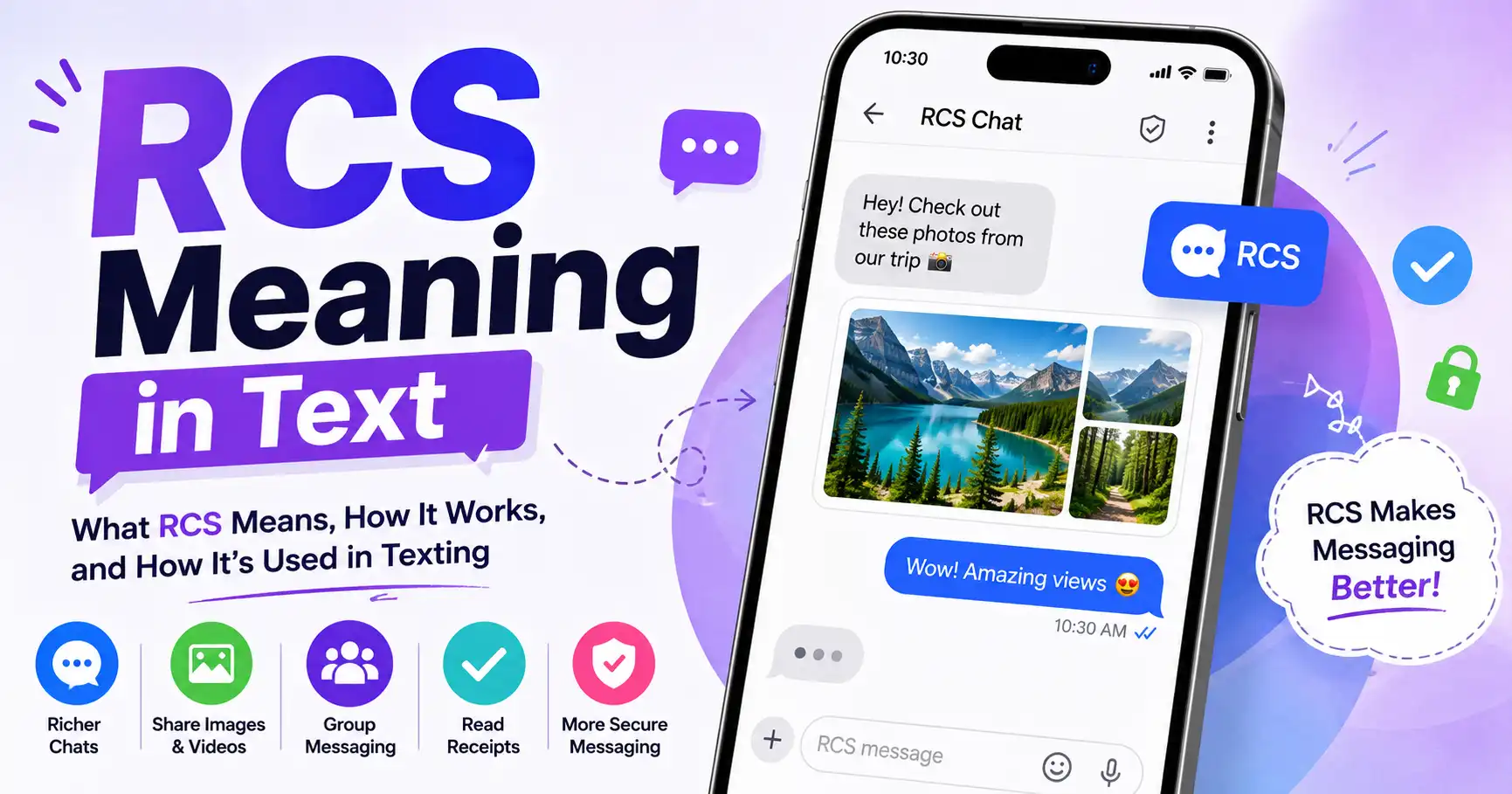
If you just want the RCS meaning in a text message in one line: RCS stands for Rich Communication Services. It’s a messaging protocol that upgrades regular text messages with features like read receipts, typing indicators, and high-resolution photo and video sharing.
It works through your phone’s built in messaging app, so there’s no separate app to download. RCS is not the same as iMessage. iMessage only works between Apple devices, while RCS is an open standard that works across both Android and iPhone, as long as both people have it turned on.
What Does RCS Mean in a Text Message?
RCS means Rich Communication Services. In short, the RCS meaning in text messages comes down to a messaging standard that makes text messages act more like WhatsApp or iMessage, but it still works through your phone’s built-in texting app. No separate download is needed.
The RCS Meaning in Text is closely connected to the way people communicate through smartphones and messaging apps.
RCS Stands for Rich Communication Services
Each word in the name tells you something:
- Rich: the messages can hold more than plain text, like photos, videos, and buttons.
- Communication: it’s built for two-way conversations, not just alerts.
- Services: it’s a set of features added on top of your phone’s messaging system.
What Is an RCS Chat or RCS Text Message?
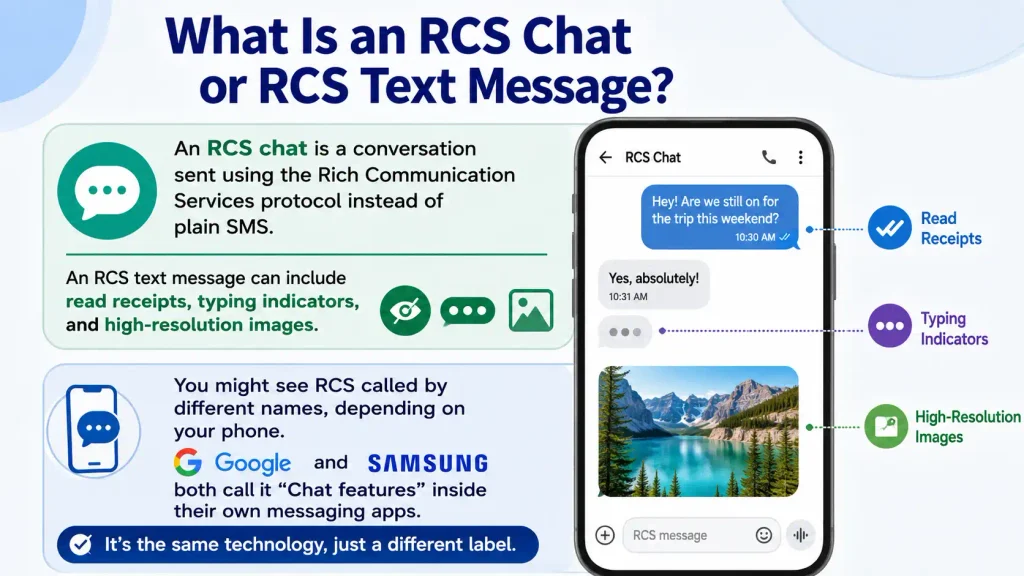
An RCS chat is a conversation sent using the Rich Communication Services protocol instead of plain SMS. An RCS text message can include read receipts, typing indicators, and high resolution images.
You might see RCS called by different names, depending on your phone. Google and Samsung both call it “Chat features” inside their own messaging apps. It’s the same technology, just a different label.
My Experience Understanding RCS
When I first came across the term RCS in text messages, I was confused. I thought it was just another name for SMS.
So I started comparing the messaging features on different Android phones. I also read through the available documentation. That’s when I realized RCS offers a lot more than regular texting.
Many users look up RCS Meaning in Text after noticing RCS features such as read receipts or typing indicators. Features like read receipts, typing indicators, high quality photo sharing, and Wi-Fi messaging stood out right away. It became clear why so many people are switching to RCS.
I also learned something important along the way: RCS only works properly when both the sender and the receiver have RCS chat turned on. Both people also need a mobile carrier or messaging app that supports it. This hands on comparison is what helped me explain RCS in plain language, so beginners can easily see the difference between SMS, MMS, and RCS.
Who Created RCS? (GSMA & Universal Profile)
Knowing who built the standard helps explain the RCS meaning in text messages beyond just the acronym. RCS was created by the GSMA, the GSM Association. This is the global organization that represents mobile carriers around the world.
In 2016, the GSMA released a standard called Universal Profile. This standard made sure RCS worked the same way on every phone and every carrier. Before that, each company had been building its own separate version. Universal Profile is the reason RCS can now work between an Android phone and an iPhone.
RCS Text Message vs. SMS and MMS: What’s the Difference?
Comparing the three side by side is the easiest way to see the RCS meaning in text messaging in practice. RCS is the newest and most advanced of the three. SMS is the oldest and most limited. MMS sits in the middle, adding basic photo and video support to SMS.
The RCS Meaning in Text becomes clearer when you compare RCS with older SMS and MMS messaging.
RCS vs. SMS
SMS, or Short Message Service, only sends plain text. It has a 160-character limit. It also doesn’t support read receipts or typing indicators.
RCS removes these limits. It allows much longer messages and high-quality media. It also adds real-time features, like “typing…” and “Read” labels.
RCS vs. MMS
MMS, or Multimedia Messaging Service, lets you send photos and videos over SMS. But the files are usually small and low quality, because of strict size limits.
RCS handles media much better. It supports high-resolution photos and videos, and it allows file sizes up to 100MB. It also adds features MMS doesn’t have, like group chats and suggested replies.
| Feature | SMS | MMS | RCS |
| Character limit | 160 | Limited | Up to 3,072 |
| Photos/videos | No | Basic, low quality | High resolution, up to 100MB |
| Read receipts | No | No | Yes |
| Typing indicators | No | No | Yes |
| Network used | Cellular | Cellular | Wi-Fi or mobile data |
| App required | No | No | No |
Learning the RCS Meaning in Text can also help explain why some messages look different from traditional SMS texts.
Is RCS the Same as iMessage?
Part of the confusion around the meaning of RCS in text messaging comes from people assuming it works just like iMessage. No, RCS is not the same as iMessage. iMessage only works between Apple devices. RCS works across both Android and iPhone.
RCS vs. iMessage: Key Differences
iMessage is Apple’s own messaging service. It has always offered end-to-end encryption, read receipts, and reactions, but only between Apple devices.
RCS offers many of the same features. The big difference is that RCS is an open standard. This means RCS works no matter what brand of phone you or the other person has, as long as both devices support it. [internal link: /rcs-vs-imessage] [external link: Apple’s RCS support page]
Why Does RCS Still Show a Green Bubble on iPhone?
This is one of the most common points of confusion around the meaning of RCS in text messages: green bubbles. Here’s something that confuses a lot of people: turning on RCS does not turn the bubble blue. On iPhone, blue bubbles are only for iMessage conversations between two Apple devices. Every other kind of message, including RCS chats with an Android phone, still shows up green.
What actually changes is what happens inside that green bubble. Once RCS is active, you’ll start seeing “Read” labels, “…typing” indicators, and full-quality photos, instead of the blurry, compressed images SMS and MMS used to send.For smartphone users, understanding RCS Meaning in Text can make modern texting features less confusing.
So if your bubbles are still green after turning on RCS, that’s completely normal. Green just means “not iMessage.” It doesn’t mean RCS isn’t working.
What Features Does RCS Offer?
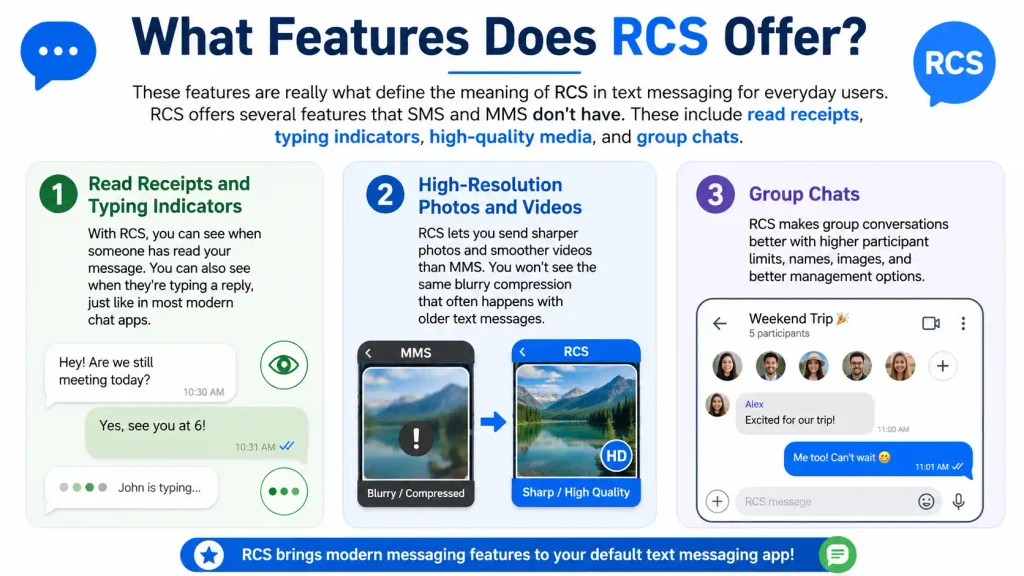
These features are really what define the meaning of RCS in text messaging for everyday users. RCS offers several features that SMS and MMS don’t have. These include read receipts, typing indicators, high-quality media, and group chats.
Read Receipts and Typing Indicators
With RCS, you can see when someone has read your message. You can also see when they’re typing a reply, just like in most modern chat apps.
High-Resolution Photos and Videos
RCS lets you send sharper photos and smoother videos than MMS. You won’t see the same blurry compression that often happens with older text messages.
Group Chats
RCS group chats are more reliable than SMS group texts. You can share media, see who’s read each message, and keep the whole conversation organized in one thread.
Character and File Size Limits
RCS supports messages up to 3,072 characters. That’s a big jump from the 160-character limit on SMS. RCS also allows much larger file sizes for photos and videos, up to 100MB, so quality doesn’t have to suffer.
Is RCS Secure?
Security is another important piece of the RCS meaning in text message conversations. RCS is more secure than SMS, but the level of protection depends on which app and devices are involved. Some RCS conversations are fully encrypted, while others are not.
Encryption in RCS Messages
RCS messages are encrypted while they travel between your phone and the network. Many one-on-one RCS chats also use full end-to-end encryption. Google Messages is one example. With end-to-end encryption, only you and the other person can read the message.
Group chats and some cross-app RCS messages may not have the same level of encryption yet. This is an area that’s still improving, as more carriers and phone makers adopt the newest RCS standards.
Is RCS as Safe as iMessage?
RCS and iMessage both offer strong protection for private, one-on-one messages. iMessage has offered end-to-end encryption for longer. But RCS is quickly catching up, as Apple and Android work toward encrypting messages between the two platforms.
Which Phones and Carriers Support RCS?
Most modern Android phones and iPhones running iOS 18 or later support RCS. Support also depends on whether your carrier has turned it on for your account.
RCS on Android
Nearly all Android phones support RCS through Google Messages. This has been true for new Android devices for several years now.
RCS on iPhone (iOS 18+)
Apple added RCS support starting with iOS 18. If your iPhone runs iOS 18 or newer, and your carrier supports RCS, you can turn it on in your settings.
Carrier Support (Verizon, AT&T, T-Mobile, and Others)
In the United States, major carriers like Verizon, AT&T, and T-Mobile all support RCS. Coverage keeps expanding, so check your specific carrier’s website if you’re not sure.
How to Turn On RCS Messaging
Turning on RCS only takes a few steps. The process is a little different depending on whether you have an Android phone or an iPhone.
Enable RCS on Android (Google Messages)
- Open Google Messages.
- Tap your profile picture in the top right corner.
- Select Message settings.
- Tap RCS chats.
- Toggle RCS chats on.
You may need to verify your phone number before RCS fully turns on.
Enable RCS on iPhone
- Open Settings.
- Tap Apps.
- Tap Messages.
- Tap RCS Messaging.
- Toggle it on.
Once it’s on, you’ll see “Text Message • RCS” appear when you message an Android user.
Why Isn’t RCS Working? (Troubleshooting)
If RCS isn’t working, the most common causes are a weak connection, an unverified phone number, or a phone or carrier that doesn’t fully support it yet.
RCS Stuck on “Connecting”
If RCS seems stuck, try switching between Wi-Fi and mobile data. This can sometimes reset the connection and let your phone number finish verifying.
Message Reverted to SMS/MMS Unexpectedly
If a message suddenly reverts to SMS or MMS, it usually means one thing: the other person doesn’t have RCS enabled, or one of you lost your internet connection. RCS needs Wi-Fi or mobile data to work. Without it, your phone automatically falls back to SMS.
RCS Option Missing or Grayed Out
If you don’t see the RCS option at all, check that your phone’s software is up to date. It’s also possible your carrier hasn’t turned on RCS support for your account yet.
Does RCS Cost Money?
RCS is free to use. It doesn’t cost extra money on its own. But it uses your Wi-Fi or mobile data instead of your carrier’s SMS network, so it can use a small amount of data.
If you’re on a limited data plan, this is worth keeping in mind. Using Wi-Fi when possible can help you avoid using up your data allowance.
How Businesses Use RCS Messaging
Beyond personal texting, many businesses now use RCS to send more useful, trustworthy messages to customers. This includes order updates and appointment reminders. It also includes verified sender profiles, which show a company’s name and logo right in the chat.
For businesses, RCS opens the door to richer, more interactive customer conversations. Customers don’t need to download a separate app to get these benefits.
Frequently Asked Questions
What does RCS mean in a text message? RCS stands for Rich Communication Services, a messaging protocol that replaces basic SMS text messages with richer features like read receipts, typing indicators, and high-resolution photo and video sharing. It works through your phone’s built-in messaging app.
What is RCS chat? RCS chat is a conversation sent using the Rich Communication Services protocol instead of traditional SMS. It works through your phone’s default messaging app, so there’s no separate app to download or account to create.
Is RCS the same as iMessage? No. iMessage is Apple’s own messaging service that only works between Apple devices. RCS is an open standard that works across both Android and iPhone, as long as both people have it turned on.
Why is my text bubble green if I have RCS? Apple’s Messages app keeps iMessage conversations blue and every other conversation green, including RCS chats with Android users. Turning on RCS changes what happens inside the message, like adding read receipts, but it does not change the bubble color.
How do I turn on RCS messaging on Android? Open Google Messages, tap your profile picture, go to Message Settings, tap RCS chats, and toggle it on. You may need to verify your phone number first.
How do I turn on RCS messaging on iPhone? On an iPhone with iOS 18 or later, go to Settings, tap Apps, tap Messages, then toggle on RCS Messaging. Your carrier also needs to support RCS for it to fully activate.
Is RCS free to use? Yes. RCS doesn’t have a separate cost, but it sends messages using Wi-Fi or mobile data instead of your carrier’s SMS network, so it can use a small amount of your data plan.
Bottom Line
At the end of the day, the meaning of RCS in text messages is simple: it isn’t really a new idea; it’s just texting finally catching up to the apps we already use every day.
Read receipts, sharp photos, and real group chats have been standard in apps like WhatsApp for years. Now they’re built right into the message icon on your phone. If someone asks you about RCS Meaning in Text, you can explain that RCS refers to a more advanced messaging standard than traditional SMS.
To read more: Lon Meaning in Text: The Proven Fix for a Common Mistake(2026)